


 Loading...


- Barcode / RFID / Vision
- Bulk Wire & Cable
- Cables (Terminated)
- Circuit Protection / Fuses / Disconnects
- Communications
- Drives & Soft Starters
- Enclosure Thermal Management & Lights
- Enclosures & Racks
- Field I/O
- HMI (Human Machine Interface)
- Hydraulic Components
- Motion Control
- Motor Controls
- Motors
- Pneumatic Components
- Power Products (Electrical)
- Power Transmission (Mechanical)
- Process Control & Measurement
- Programmable Controllers
- Pushbuttons / Switches / Indicators
- Relays / Timers
- Safety
- Sensors / Encoders
- Stacklights
- Structural Frames / Rails
- Tools & Test Equipment
- Valves
- Water (Potable) Components
- Wire & Cable Management
- Wire & Cable Termination
- Retired Products
Configuration Utilities
- PLC Family Selector
- P1000 PLC Systems
- P2000 PLC Systems
- P3000 PLC Systems
- ProductivityCODESYS
- CLICK PLC Systems
- Do-more® BRX PLC Systems
- LS-Electric® XGB PLC Systems
- Productivity®Open Systems
- Datalogic® Safety Light Curtains
- LS-Electric® Servo Systems
- Nitra® Pneumatic Grippers
- Object Detection (Sensors)
- PAL Controller Configurator
- Precision Gearbox Selector
- Protos X® Field I/O
- Pyrometers Selector
- Quadritalia® Modular Enclosures
- Stellar® Soft Starters
- Stepper System Selector
- SureFrame T-slot Extrusion
- SureMotion® XYZ Gantry
- SureServo2® System Selector
- SureStep® Linear Actuators
- Timing Belts & Pulleys
- Werma® Stacklights
- ZIPLinks
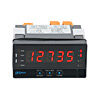
Digital panel meters with pulse or frequency inputs accept pulsed signals with a maximum frequency that depends on the selected mode. They support frequency, tachometer, rate, and PWM operating modes; output options include relays, analog signal retransmission, and sensor excitation.

This page will refresh momentarily.
Warning
Some of the selected facets have been selected by the {{ assistanceData.title }} Help.
Resetting/clearing ALL facets will end {{ assistanceData.title }} Help.
![Help icon]() Selection Assistance - {{ assistanceData.title }}
Selection Assistance - {{ assistanceData.title }}
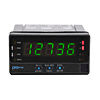
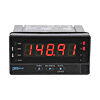
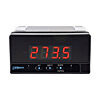
Pulse, Frequency Input
Digital panel meters with pulse/frequency inputs provide accurate, easily readable displays for frequency, tachometer, and rate applications.
- Accepts inputs from AC voltage sensors, magnetic sensors, NPN/PNP sensors, NAMUR sensors, TTL/24V encoders, or switched contacts
- Provides selectable sensor excitation voltages
- Easy pushbutton or software configuration (depending on model) with a lockout option to prevent unauthorized or accidental changes to the meter's operation
- Models with compact housings take up minimal panel space
For part listing and specifications, go to Shop Now
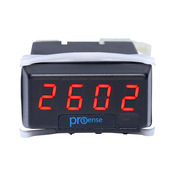
DPM1-P Series
ProSense DPM1‑P panel meters deliver straightforward, economical monitoring for frequency, tachometer, and rate signals. Their compact 1/32 DIN format and reliable sensor handling make them a practical fit for panels where space is limited and pulse‑based measurements are required.
- Bright 4‑digit LED display provides clear, easy‑to‑read indication
- Multiple frequency, tachometer, and rate modes support a wide range of sensing applications
- High‑speed measurement capability supports frequencies up to 7 kHz (tachometer/rate) or 9999 Hz (frequency mode)
- Selectable decimal point matches display resolution to engineering units
- Wide‑range AC/DC power input ensures compatibility with standard control power sources
- Direct or reverse scaling in rate mode supports flexible measurement requirements
- IP65‑rated meter face protects against dust and low‑pressure water exposure in harsh environments
Starting at
(DPM1-P-H)
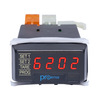
DPM1-P-A2R Series
ProSense DPM1‑P‑A2R panel meters add control capability to the compact DPM1 platform, supporting frequency, tachometer, rate, and PWM applications. With a 1/32 DIN footprint and integrated output options, they offer an efficient way to combine indication and basic control in small‑panel installations.
- Bright 4‑digit LED display provides clear, easy‑to‑read indication
- Multiple frequency, tachometer, rate, and PWM modes support a wide range of sensing applications
- High‑speed measurement capability handles frequencies up to 12 kHz (tachometer/rate), 9999 Hz (frequency), or 100 Hz (PWM)
- Selectable decimal point matches display resolution to engineering units
- Wide‑range AC/DC power input ensures compatibility with standard control power sources
- Selectable sensor‑excitation voltage powers external sensors without a separate supply
- Dual Form A relays provide alarm or control outputs with hysteresis or time‑delay operation
- Selectable 0/4–20 mA analog output enables signal retransmission to other devices
- Min/max value memory supports process monitoring and troubleshooting
- Adjustable display brightness improves visibility in varying lighting conditions
- IP65‑rated meter face protects against dust and low‑pressure water exposure in harsh environments
Priced at
(DPM1-P-A2R-L)
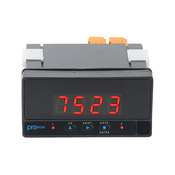
DPM2-P Series
ProSense DPM2‑P panel meters provide dependable indication for counter, tachometer, rate, and frequency applications. Their larger 1/8 DIN format, expanded input handling, and solid industrial build make them well suited for installations that require clear visibility and reliable pulse measurement.
- Bright 4‑digit LED display provides clear, easy‑to‑read indication
- Multiple counter, tachometer, and rate modes support a wide range of sensing applications
- High‑speed measurement capability handles frequencies up to 12 kHz (tach/rate), 9999 Hz (frequency), or 100 Hz (PWM)
- Selectable decimal point matches display resolution to engineering units
- Wide‑range AC/DC power input ensures compatibility with standard control power sources
- Selectable sensor‑excitation voltage powers external sensors without a separate supply
- Optional dual Form C relays provide flexible alarm and control outputs with hysteresis, time‑delay, pulsed, or latch operation
- Selectable 0/4–20 mA analog output enables signal retransmission to other devices
- Min/max value memory supports process monitoring and troubleshooting
- Totalizer display provides cumulative count indication in counter mode
- IP65‑rated meter face protects against dust and low‑pressure water exposure in harsh environments
Starting at
(DPM2-P-HL)
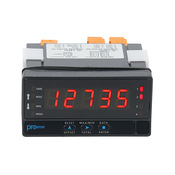
DPM3-P Series
ProSense DPM3‑P meters offer an enhanced platform for counter, chronometer, frequency, tachometer, rate, and PWM functions. Built on a rugged 1/8 DIN design, they combine broad sensor support with advanced display and control features for applications that benefit from added flexibility.
- Tri‑color 5‑digit LED display provides a clear indication with visual status cues
- Multiple counter, chronometer, frequency, tachometer, and PWM modes support a wide range of pulse‑based measurement applications
- Selectable decimal point matches display resolution to engineering units
- Wide‑range AC/DC power input ensures compatibility with standard control power sources
- Selectable sensor‑excitation voltage powers external sensors without a separate supply
- Optional 4–20 mA analog output enables signal retransmission to other devices
- Optional dual Form C relays provide flexible control with hysteresis, time‑delay, pulsed or latch operation, and color‑change indication
- Programmable min/max memory and reset support process monitoring and troubleshooting
- Start/stop control in chronometer and counter modes enables precise timing and totalizing functions
- Adjustable display brightness improves visibility in varying lighting conditions
- IP65‑rated meter face protects against dust and low‑pressure water exposure in harsh environments
Starting at
(DPM3-P-H)
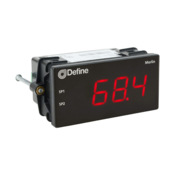
Merlin Series
New!
Define Instruments Merlin series UL-listed digital panel meters accept a wide range of input types, allowing users to standardize on a single meter for many applications. Configuration is fast and intuitive with the free Define ToolBox software. The USB connection powers the meter during setup, allowing full configuration before installation.
- Bright, wide‑angle red LED display provides clear, easy‑to‑read indication
- Setpoint indicator LEDs offer quick visual confirmation of alarm or output status (R2A model)
- Buttonless front panel prevents accidental configuration changes in busy environments
- Wide‑range AC/DC power input ensures compatibility with standard control power sources
- Flexible input capabilities support analog, temperature, and pulse signals for broad application coverage
- Built‑in sensor excitation powers external transmitters without a separate supply
- Optional analog, relay, and user‑input I/O provide expanded control, retransmission, and reset functions (R2A model)
- Advanced scaling and linearization accommodate non‑linear sensors and processes
- Durable 1/8 DIN enclosure with shallow installation depth and IP65 front protection withstands harsh industrial environments
Starting at
(DEFINE-MERLIN)


 Safe &
Secure
Safe &
Secure

We accept VISA, MasterCard, Discover, American Express, PayPal or company purchase orders.


 Updating...